Webalo AI-Driven Data Workspace
An AI-driven data workspace empowering frontline teams and factory leaders to turn operational data into insights, actions, and repeatable daily work.
Challenge 1Getting Users Started Without Feeling Overwhelmed
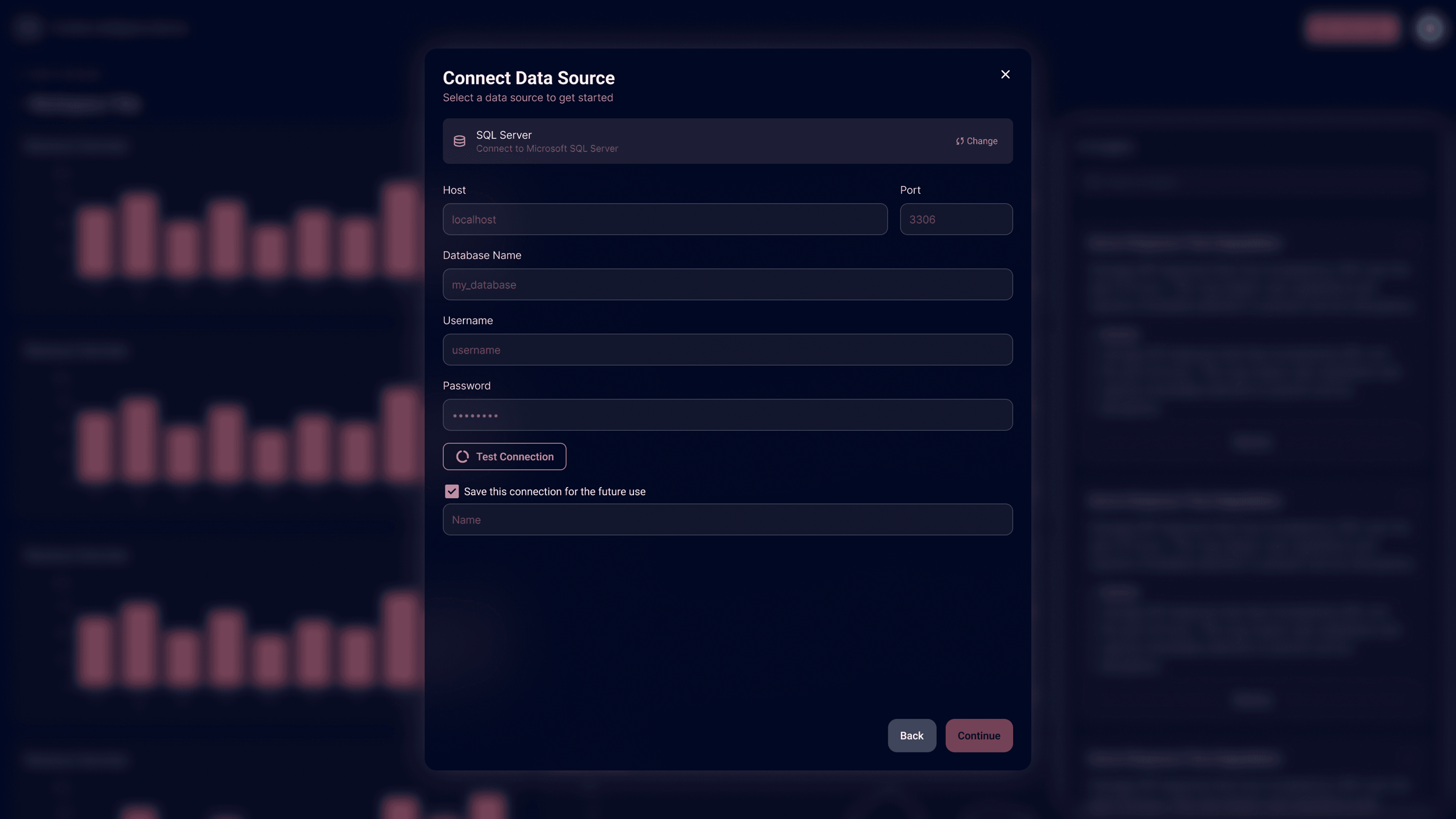
The initial experience required users to create an account, connect operational data, and understand how to begin in an unfamiliar workspace. The challenge was to reduce early cognitive load and provide a clear, guided entry into a complex system.
What I did
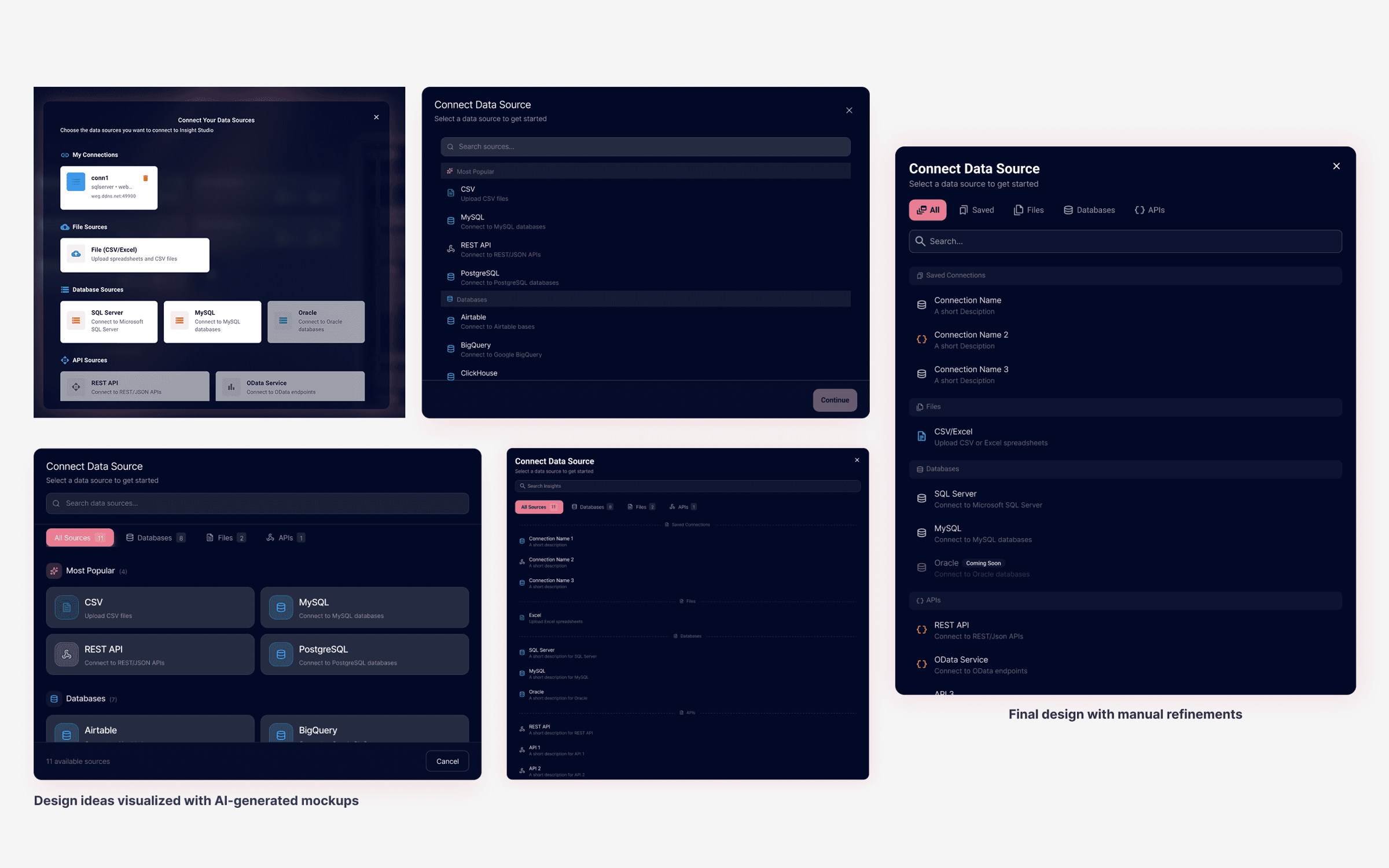
I designed a welcoming onboarding experience to lower the psychological barrier of a complex workspace. By implementing filtering and categorization, I enabled users to quickly locate the right data source and proceed with minimal friction.



Rapid Exploration with Generative AI Tools
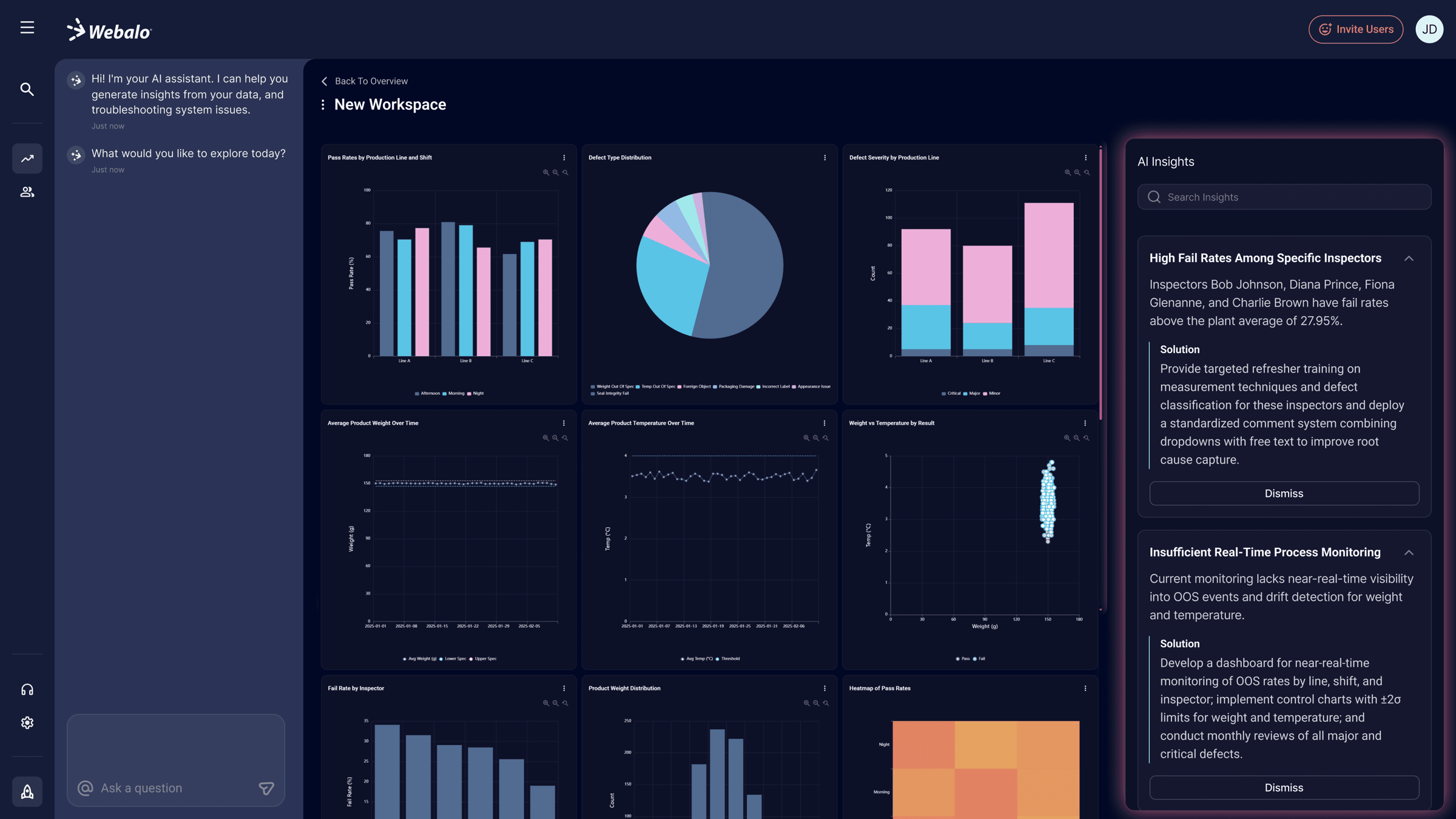
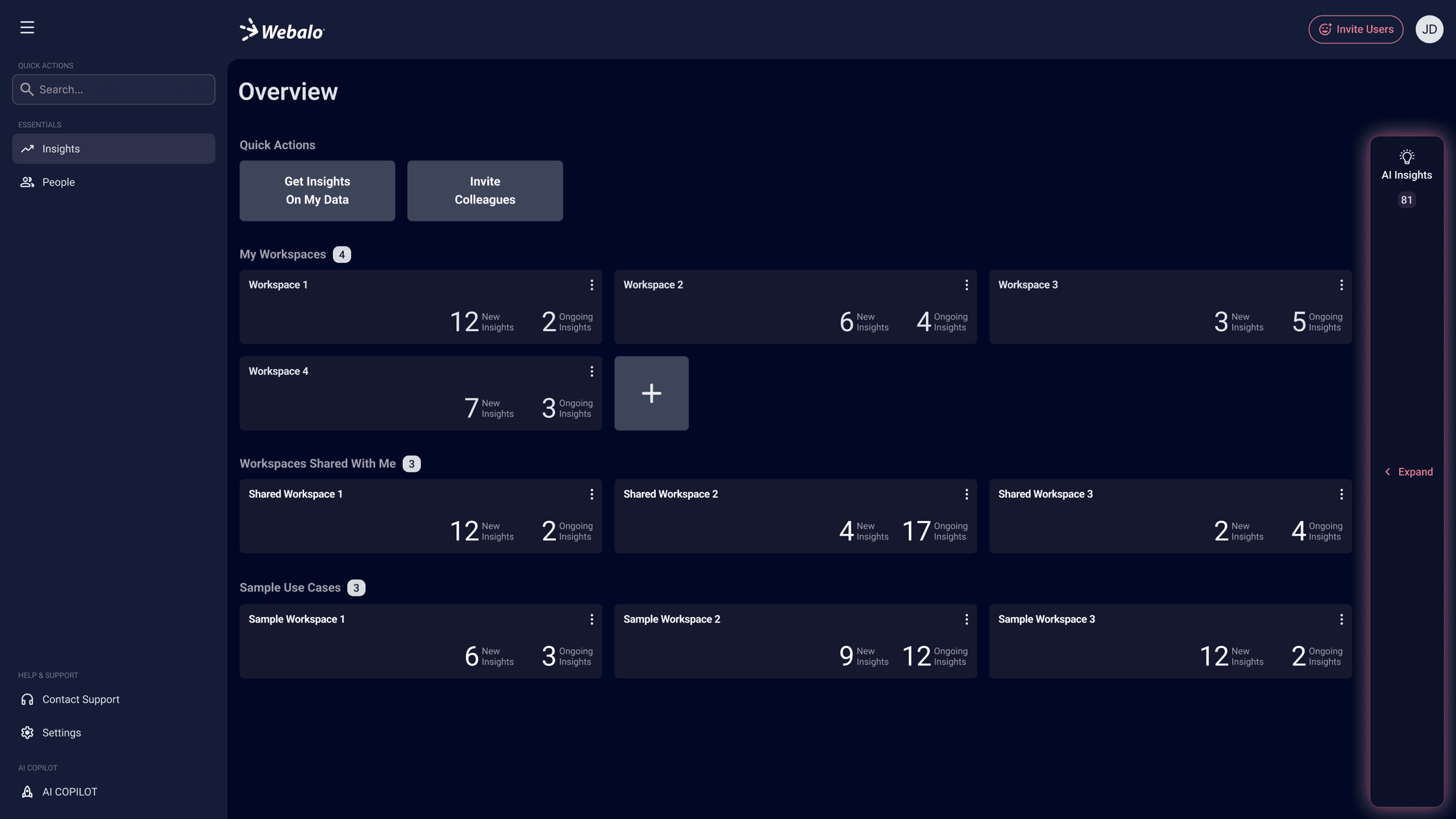
To accelerate early exploration, I used generative AI tools like Figma Make and Google Stitch to create mockups and interactive prototypes. This approach helped quickly explore ideas, review design directions with the team, and test interactions, leading to faster iteration and more informed design decisions.
Challenge 2Integrating AI Without Disrupting Core Workflows
As AI capabilities were introduced into a data-heavy workspace, the challenge was to integrate an AI assistant without distracting users from charts, dashboards, and daily operational tasks, or making the interface feel like a generic AI chatbot.
What I did
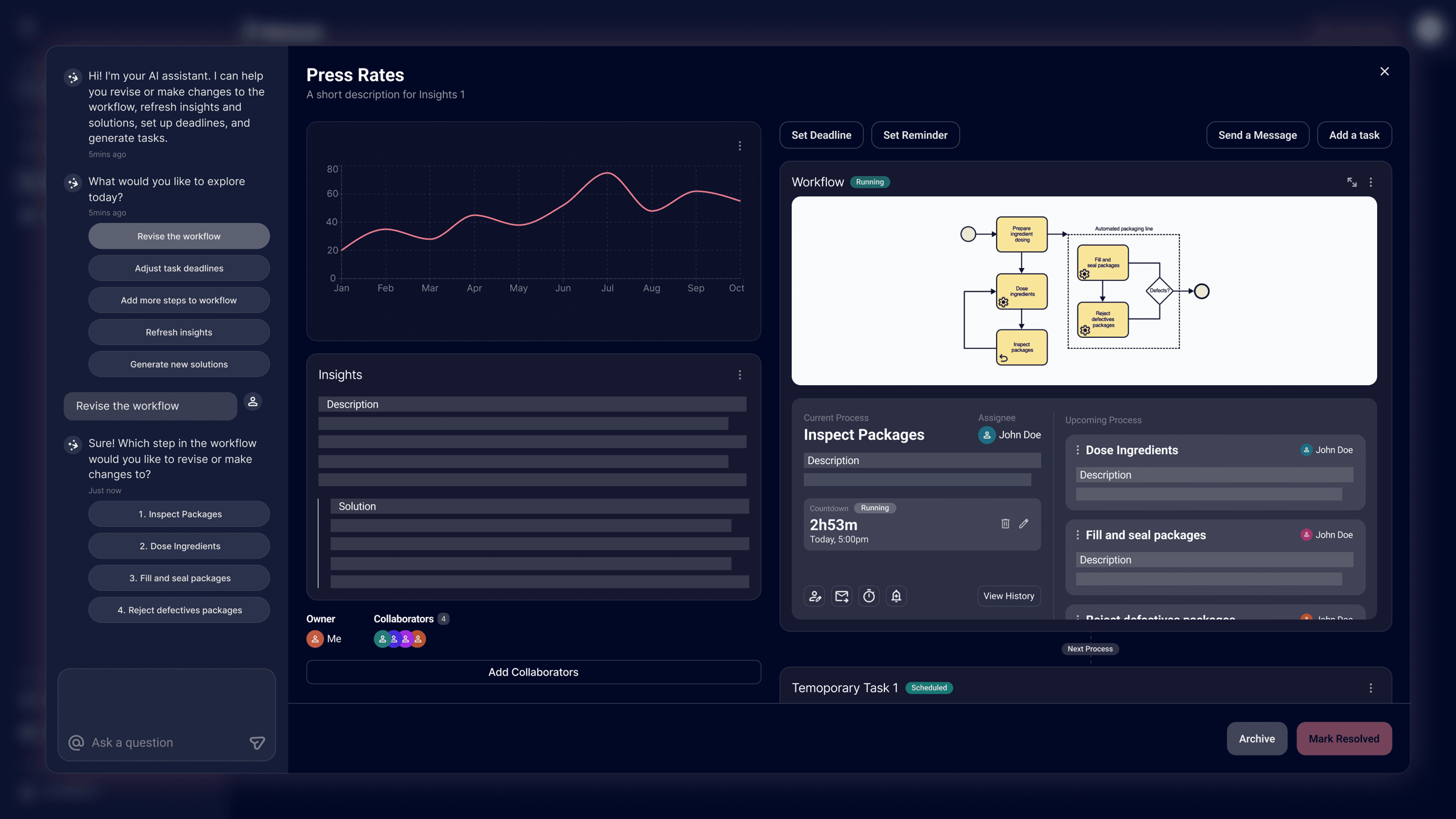
I focused on integrating the AI assistant as a non-intrusive companion. A collapsible, drawer-style interaction model gives users control over screen real estate, allowing the panel to expand for deeper analysis or collapse to maintain focus. The UX bridges conversation and action, making it intuitive to turn AI suggestions into visualized charts or executable tasks without friction.
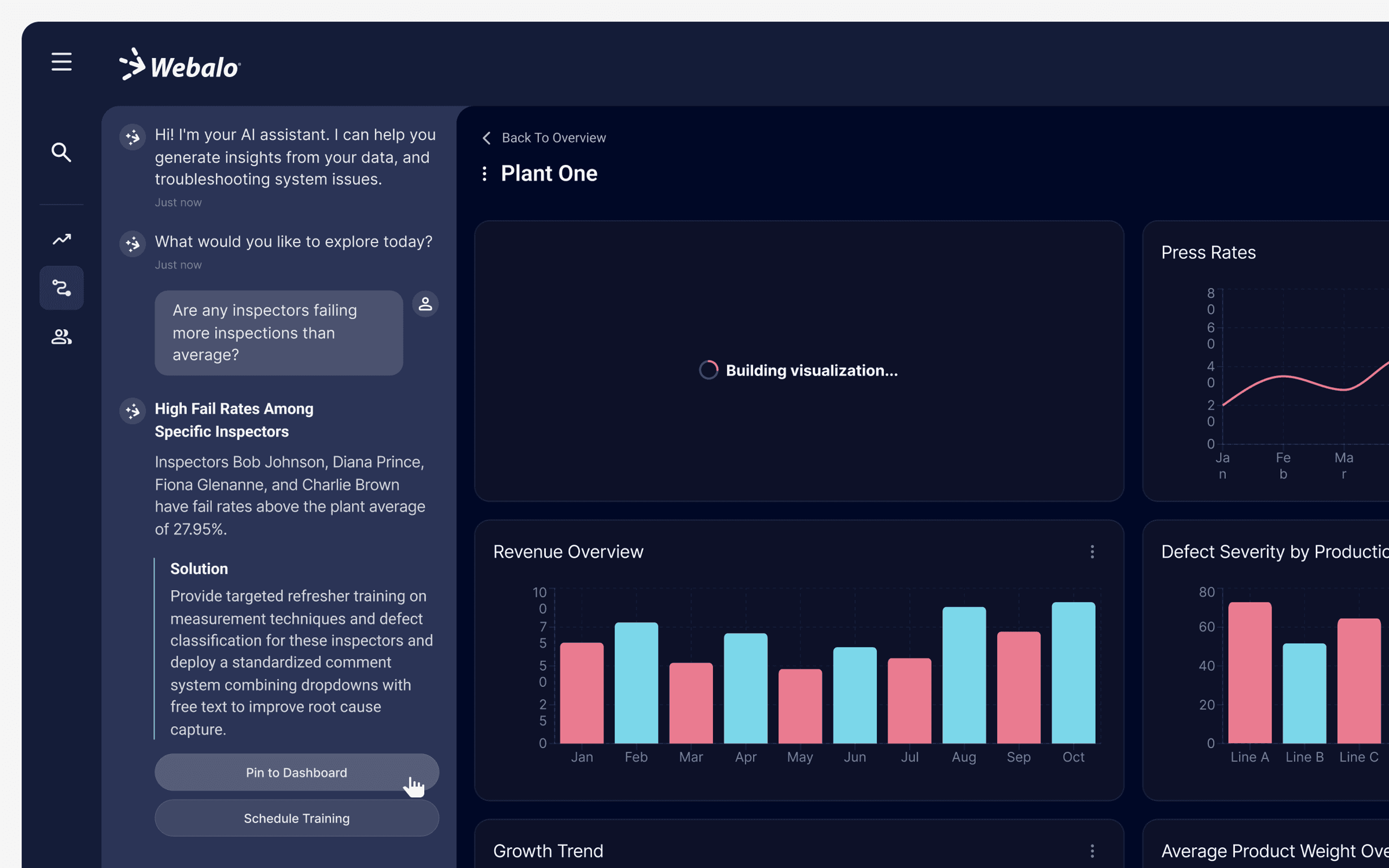
From Insights to Execution
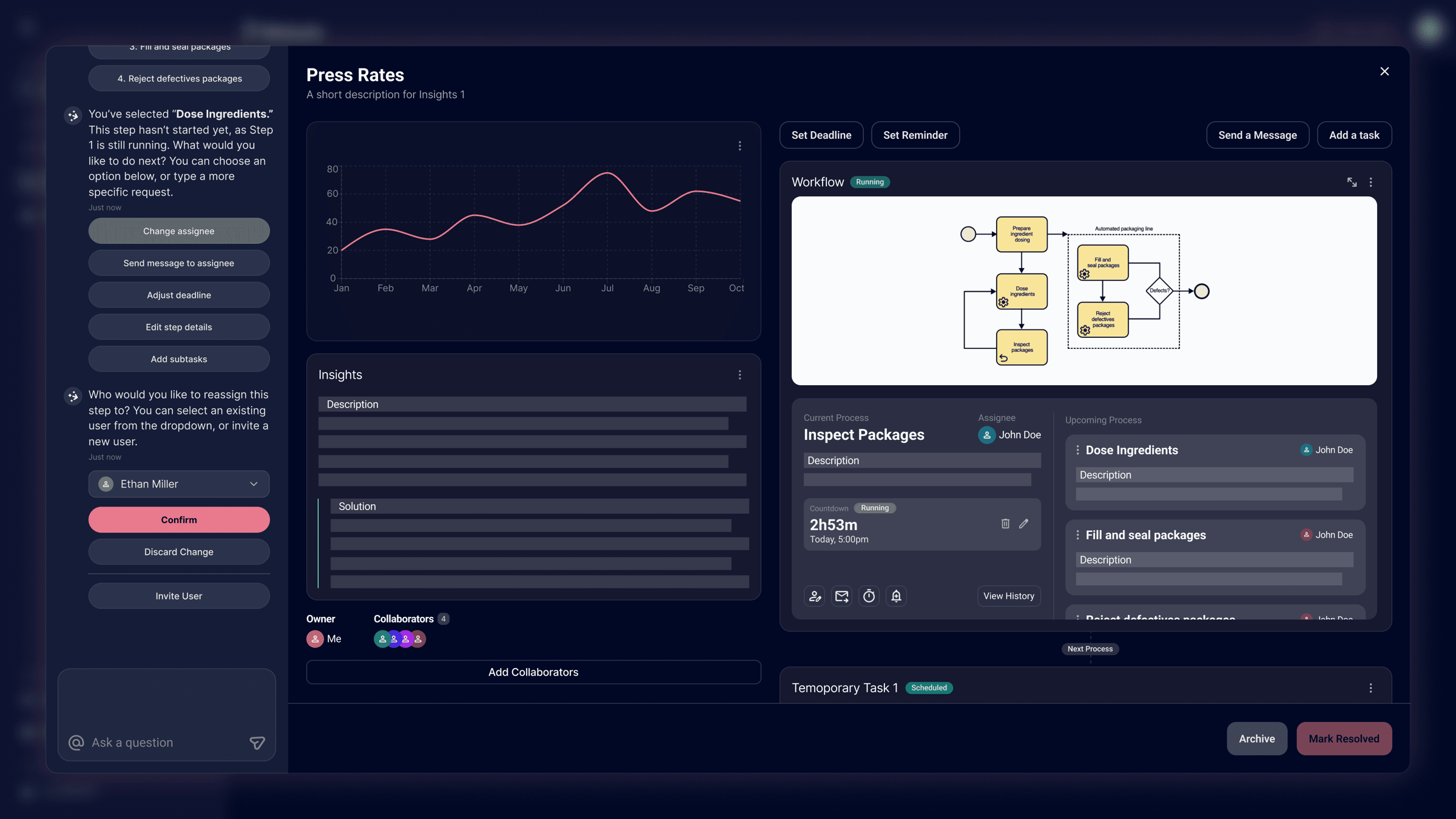
Transforming data sources into textual insights and visualizations through AI is the first step in helping users understand a problem. Truly solving that problem, however, requires turning those insights into actionable solutions. With this in mind, I designed this detail view and deeply integrated an AI assistant into the experience.
The AI assistant not only provides analysis tailored to the current context, but also offers suggestions that can be executed directly. Users can choose to make manual adjustments or rely on the AI to simplify the modification process, reducing overall interaction cost. Through preset actions and guided interactions, users no longer need to repeatedly type instructions but directly interacting with AI to modify workflows, generate solutions, or adjust processes on their behalf, evolving from a passive “analysis tool” into an active collaborator.
Design Process
I explored various spatial configurations for the AI assistant, testing left-sidebar integration, floating overlays, and right-docked panels. My goal was to avoid a disjointed 'plugin' feel and instead achieve a seamless, native integration—ensuring the AI acts as a non-intrusive copilot that sits naturally alongside the core product experience.

Challenge 3Designing for Environmental Adaptability & Scale
Users operate across diverse environments—from dim control rooms to bright back offices—requiring an interface that adapts to different lighting conditions. At the same time, as the roadmap moves toward more complex task execution, the interface needed a scalable foundation to ensure future features would not fragment the overall experience.
What I did
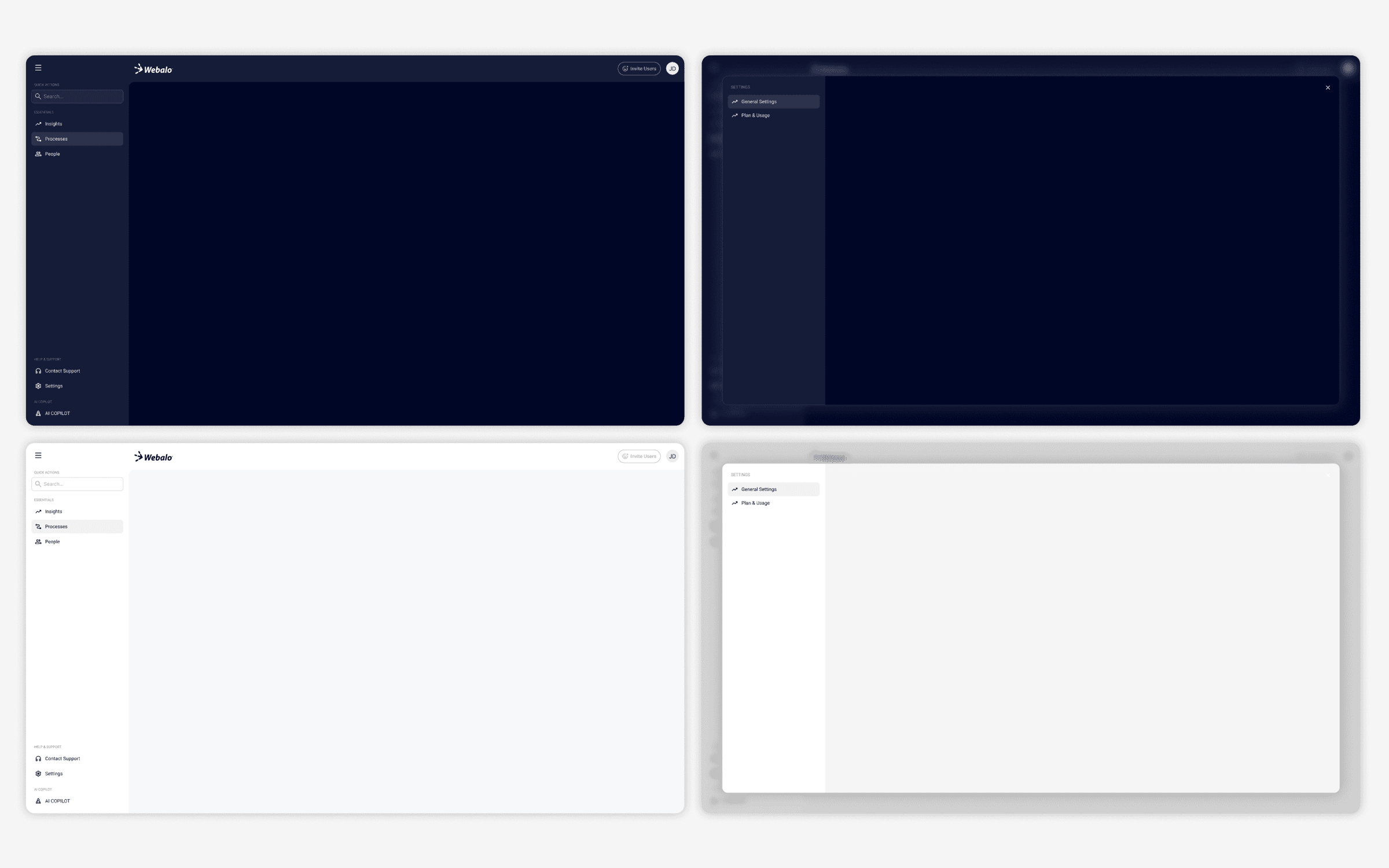
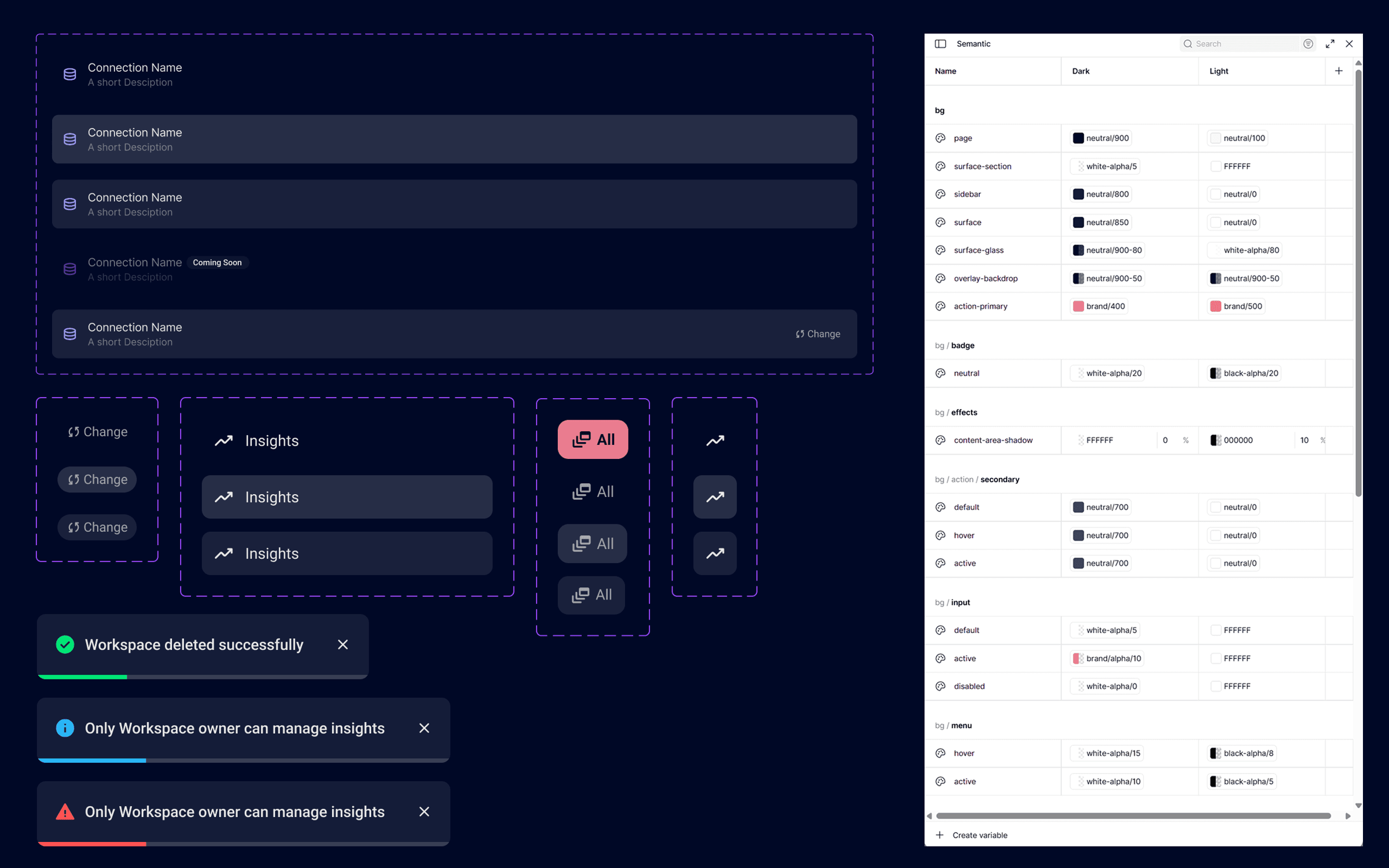
I designed a multi-theme design system supporting both dark and light modes, defining semantic color tokens and standardized component states to ensure readability across environments. By establishing this flexible theming foundation early, I addressed immediate environmental needs while preparing the interface to support future, task-oriented features without breaking visual consistency.
Verified Accessibility
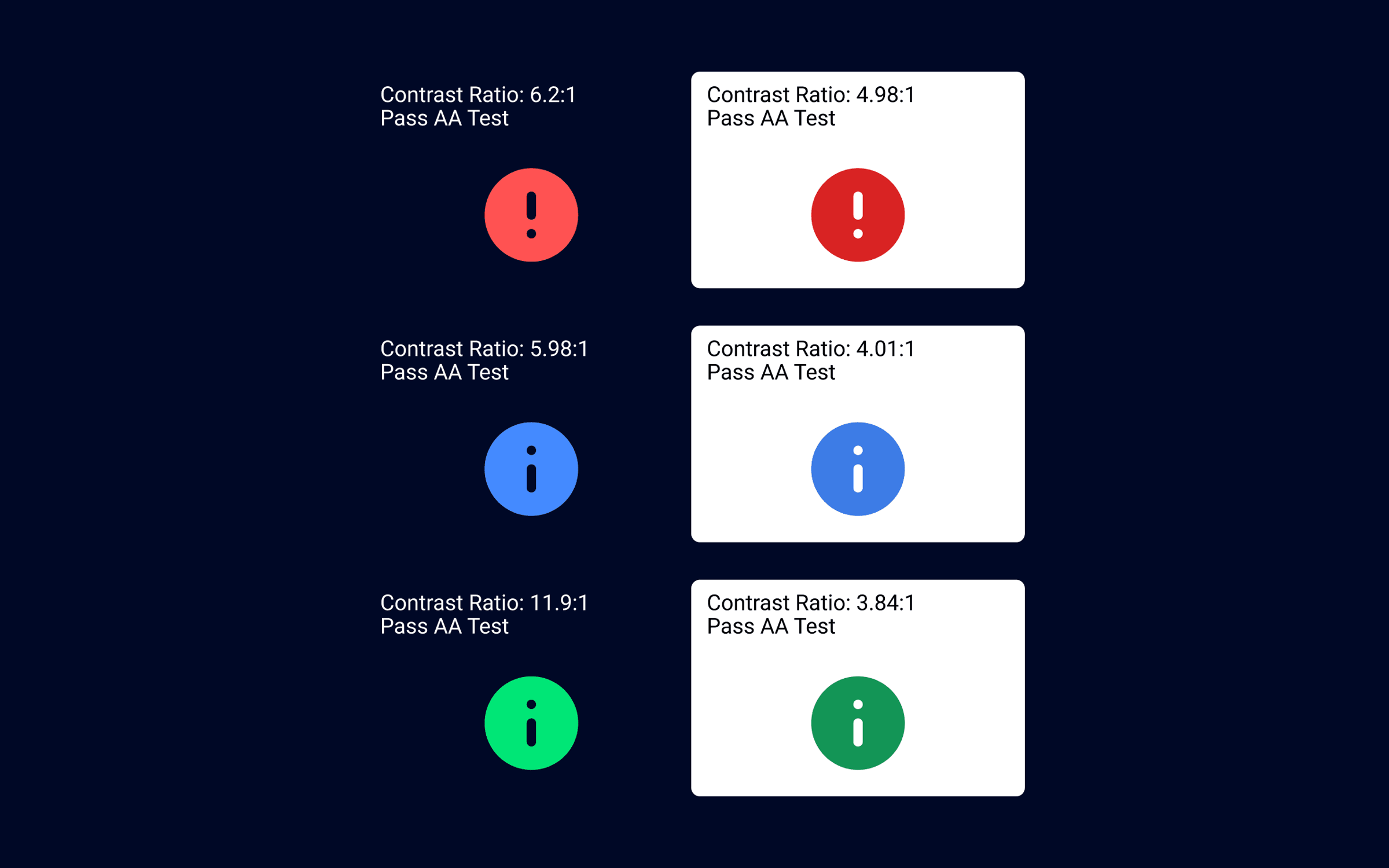
Accessibility was considered from the foundation up. I validated color tokens against WCAG AA requirements, specifically tuning Light Mode values to be slightly darker for optimal legibility, ensuring accessibility is a built-in standard.
Outcome
This project built a scalable foundation for integrating AI into a complex workspace. The new onboarding flow and AI navigation allow users to control their data with confidence. For our team, the new design system now helps us design consistently and build features faster.
Reflection
I focused on creating a flexible system that is ready for future features, like advanced task execution. Despite a tight timeline, I collaborated closely with Product and Engineering to balance design quality with technical constraints, ensuring we shipped a solution that is both usable and feasible.